Understanding Plant 3D Modeling
What is Plant 3D Modeling?
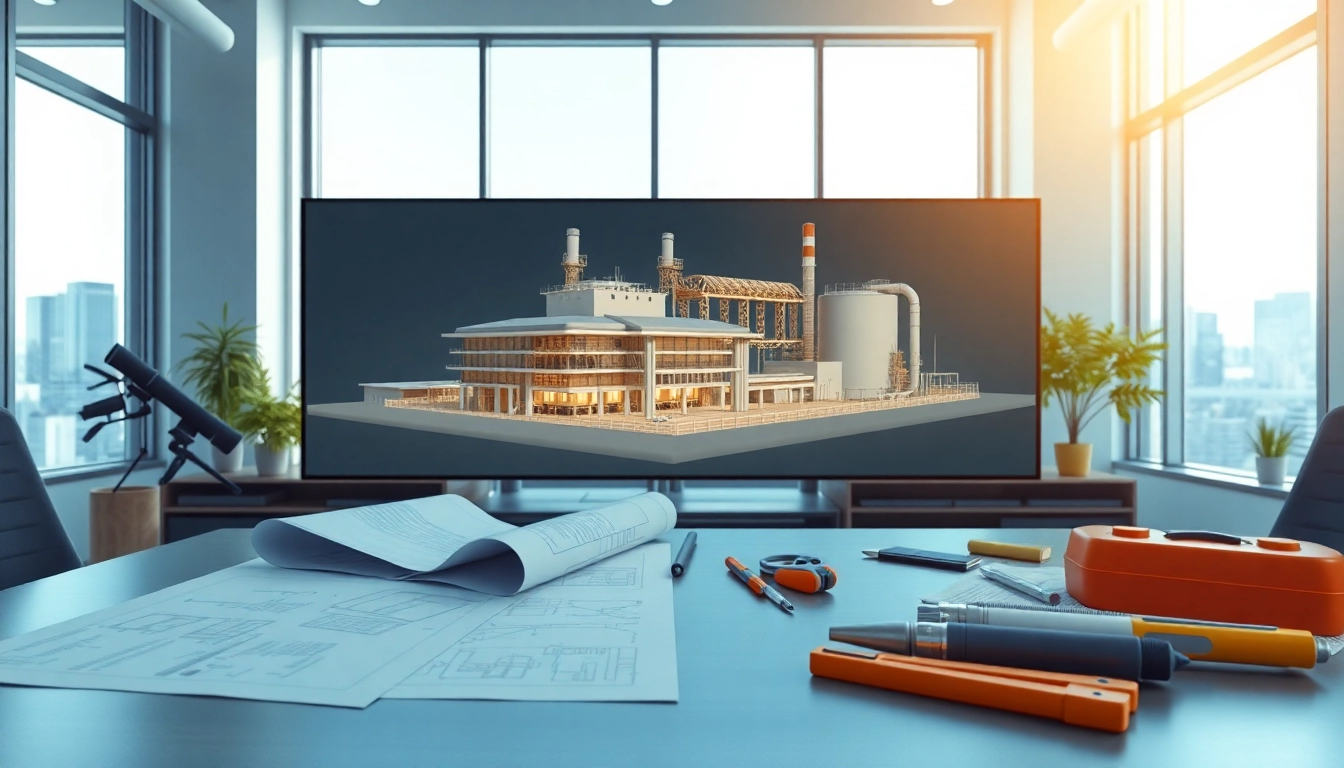
Plant 3D modeling refers to the process of creating three-dimensional representations of industrial plants, including their piping, structures, and equipment layouts. This method integrates both Plant 3D modeling and traditional drafting techniques, allowing engineers and designers to visualize complex systems in a more interactive and thorough manner. By using specialized software tools, professionals can design, analyze, and modify plant layouts with great precision, ensuring efficiency and ease in executing massive projects.
Core Features and Benefits of Plant 3D Modeling
Plant 3D modeling is equipped with many features that cater specifically to the needs of industrial design. Its core elements include:
- 3D Visualization: Provides realistic views of plant configurations, helping stakeholders to grasp designs quickly.
- Efficient Data Management: Integrates data directly into the model, consolidating design information in one place for easy access and updates.
- Automatic Generation of Documentation: Creates piping isometrics and orthographic drawings from the model automatically, enhancing accuracy and reducing manual errors.
- Collaboration Tools: Supports team collaboration via cloud-based models, allowing multiple users to work on a project simultaneously.
- Custom Equipment Modeling: Facilitates the design of bespoke equipment layouts tailored to specific user needs.
These benefits contribute to a streamlined design process, reduce the time required for revisions, and enhance overall project quality.
Common Applications in Industry
Plant 3D modeling is widely used across various industries, notably in:
- Oil and Gas: Essential for mapping pipeline systems in extraction and refining operations.
- Pharmaceuticals: used to design clean rooms and processing areas, adhering to strict regulatory standards.
- Pulp and Paper: Allows for effective configuration of machinery and materials handling equipment.
- Food and Beverage: Helps in designing facility layouts for efficient production flow and sanitation.
- Power Generation: Aids in modeling plants for renewable energy, fossil fuels, or nuclear energy sectors.
Getting Started with Plant 3D Modeling
Essential Software and Tools
To dive into Plant 3D modeling, one must utilize specific software tailored for industrial design. Popular options include:
- AutoCAD Plant 3D: Industry standard tool that offers a complete suite for plant design.
- Revit: Used in tandem for architectural components within integrated designs.
- BIM Software: For managing building information modeling processes ensuring accurate project management.
Choosing the right software significantly influences the efficiency and effectiveness of plant designs.
Basic Workflow for Beginners
Beginners venturing into Plant 3D modeling should follow a structured workflow to ensure efficiency:
- Project Setup: Start by establishing a new project file with defined parameters such as scale and units.
- Creating P&IDs: Develop piping and instrumentation diagrams to outline the configuration.
- 3D Modeling: Translating 2D drawings into 3D models by incorporating all elements like ducts, valves, and structures.
- Documentation: Automatically generate technical drawings from the model, ensuring all pieces are accurately represented.
- Review and Refine: Collaborate with team members for feedback and updates to optimize the design.
Helpful Resources and Tutorials
To become proficient in Plant 3D modeling, learners can utilize various resources. Online platforms often provide:
- YouTube Tutorials: Channels dedicated to AutoCAD offer step-by-step guidance on modeling techniques.
- Forums and Online Communities: Engage with professionals in discussion boards to exchange tips and troubleshooting strategies.
- Online Courses: Structured learning through institutions providing comprehensive courses on industrial design.
These resources can greatly enhance understanding and capability in Plant 3D applications.
Advanced Techniques in Plant 3D Modeling
Customization and Extensions
One of the strengths of Plant 3D modeling is its ability to be customized to meet specific organizational needs. Users can:
- Create Custom Components: Design specific piping types or other equipment unique to projects.
- Implement Extensions: Integrate third-party extensions that provide additional functionality, such as enhanced rendering capabilities or data analytics.
- Automation Scripts: Utilize scripting languages to automate repetitive tasks, improving workflow efficiency significantly.
Integrating Plant 3D Modeling with Other Tools
To maximize efficiency across design phases, integration with complementary tools is essential. This includes:
- BIM Solutions: Harmonizing Plant 3D with BIM applications ensures seamless coordination between disciplines.
- Project Management Software: Facilitates tracking timelines and resources used in the modeling process.
- Data Analysis Tools: Analyzing model data for better decision-making and performance enhancements.
Collaboration Best Practices
Collaboration is key in Plant 3D modeling, as multiple stakeholders need to contribute to a single project:
- Cloud Solutions: Using cloud-based platforms allows real-time collaboration, making it easy to track changes.
- Regular Reviews: Schedule periodic design reviews to ensure all team members are aligned with project goals.
- Version Control: Manage project versions meticulously to avoid conflicts and ensure everyone works on the latest model.
Troubleshooting Common Issues
Common Errors in Plant 3D Modeling and Fixes
As users navigate Plant 3D modeling, encountering errors is common. Here are frequent problems and their remedies:
- Missing Components: Ensure all libraries are properly loaded, or create custom components.
- Incorrect Measurements: Verify units and scaling settings before any major design phase.
- Performance Lags: Optimize your model by simplifying geometric details and purging unused layers.
Optimizing Performance for Large Models
When dealing with extensive plant designs, optimizing performance becomes essential. Techniques include:
- Clipping Planes: Use clipping planes to focus on specific areas to reduce rendering load.
- Layer Management: Organize your model into layers and turn off those not currently in use.
- Adjust Graphics Settings: Tailor graphics settings according to your hardware capabilities to ensure smoother operations.
Maintaining Design Consistency
Consistency is critical for quality and adherence to standards. To maintain design integrity:
- Standardized Naming Conventions: Create a consistent naming protocol for all components.
- Templates: Utilize templates for new projects that include standard layers, annotation styles, and component libraries.
- Training Sessions: Regular training for team members ensures everyone understands best practices and company standards.
Future Trends in Plant 3D Modeling
Innovations in Modeling Software
The Plant 3D modeling landscape evolves continually, with innovations leading to greater capabilities. Future trends likely include:
- Artificial Intelligence: Streamlining design tasks through predictive modeling and automated adjustments based on performance data.
- Augmented Reality (AR): Allowing designers to visualize plant layouts in the real world, enhancing decision-making.
- Machine Learning: Improving design accuracy by analyzing historical project data to inform new designs.
Emerging Technologies Impacting Plant Design
Several emerging technologies will significantly affect design processes, such as:
- 3D Printing: Enabling rapid prototyping of components directly from 3D models.
- IoT Integration: Allowing real-time monitoring of plant systems, providing data for model adjustments.
- Digital Twins: Creating virtual representations of physical plants to analyze performance in real-time.
Skills to Develop for Future Success
As the industry evolves, designers should focus on developing critical skills, including:
- Data Analysis: Understanding how to derive insights from large datasets associated with designs.
- Programming Skills: Gaining familiarity with scripting to automate tasks and customize tools effectively.
- Collaboration and Communication: Enhancing soft skills for more effective teamwork across disciplines.
Frequently Asked Questions
What is Plant 3D modeling used for?
Plant 3D modeling is used for designing and visualizing industrial plants, including piping systems and equipment layouts, helping planners and stakeholders ensure efficiency and clarity in complex designs.
Which software should I use for Plant 3D modeling?
The most commonly used software for Plant 3D modeling is AutoCAD Plant 3D, which provides comprehensive tools for designing and documenting industrial plants.
Is Plant 3D modeling difficult to learn?
While there is a learning curve to mastering Plant 3D modeling, beginners can ease into it through structured courses and tutorials available online.
How can I optimize my Plant 3D models for better performance?
To enhance performance, simplify geometry, use layer management effectively, and adjust graphic settings according to your hardware specifications.
What industries benefit from Plant 3D modeling?
Industries such as oil and gas, pharmaceuticals, food and beverage, and energy generation all significantly benefit from Plant 3D modeling for optimizing their plant designs.