Understanding Plant 3D Modeling
What is Plant 3D Modeling?
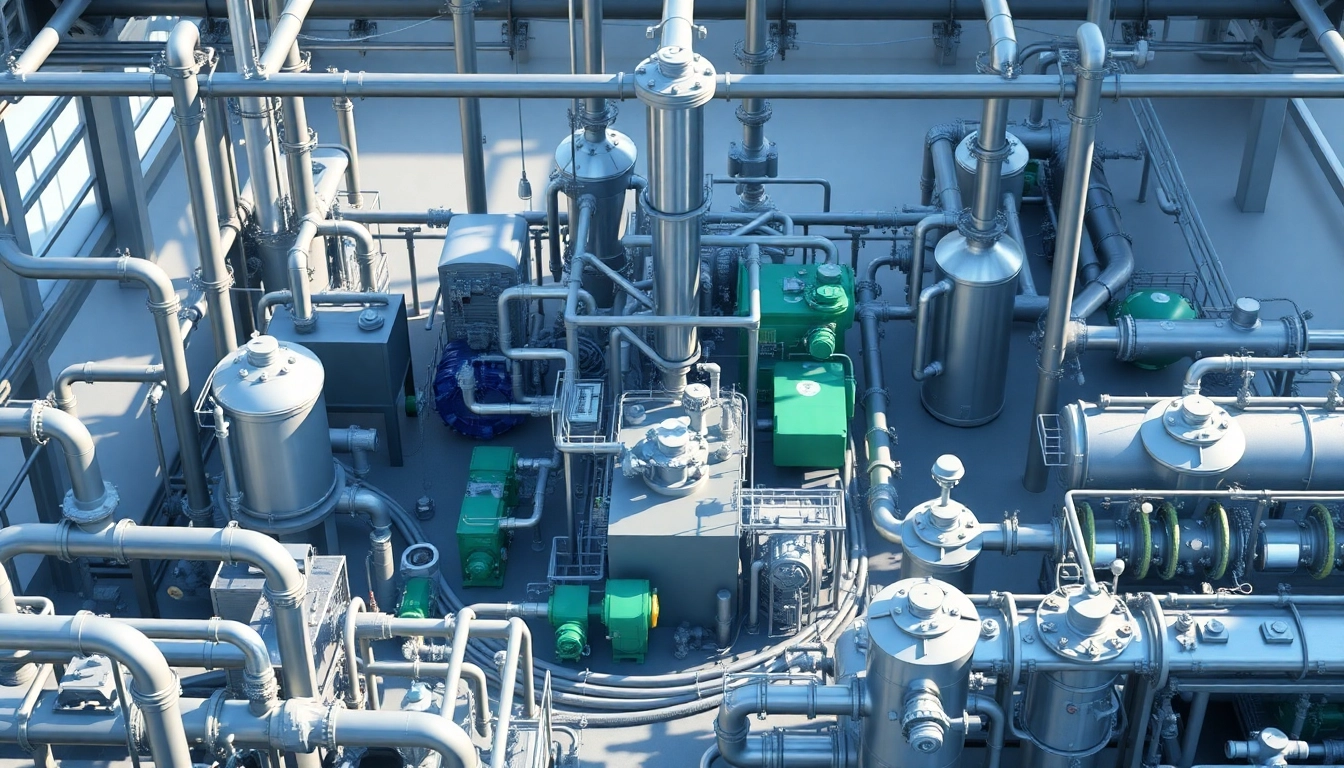
Plant 3D modeling is a sophisticated design process utilized in the creation of detailed digital representations of industrial plant infrastructures. This approach integrates 3D modeling with process engineering to develop complex systems, encompassing piping, equipment layouts, and instrumentation diagrams. By utilizing various software tools, particularly Plant 3D software, designers can produce intricate and precise plant designs that enhance the visualization and efficiency of design processes. With the growing demand for precision in engineering and design, Plant 3D modeling stands as the cornerstone of modern industrial design strategies.
Benefits of Using Plant 3D Modeling
The adoption of Plant 3D modeling in engineering and design offers several key benefits that help organizations streamline their projects:
- Improved Visualization: Engineers can visualize complex infrastructures before construction begins, enabling them to identify potential design flaws early in the process.
- Increased Accuracy: The precision of 3D modeling leads to more accurate specifications and reduces the risks of costly errors during installation.
- Enhanced Collaboration: Teams can work simultaneously on a model, making real-time updates and adjustments that facilitate smoother communication and project management.
- Cost Efficiency: By identifying issues before they arise on-site, companies can significantly reduce rework costs and project delays.
- Integration with BIM: Plant 3D modeling seamlessly integrates with Building Information Modeling (BIM) systems, fostering a more holistic approach to project management.
Applications in Different Industries
Plant 3D modeling has widespread applications across various sectors:
- Oil and Gas: Used for designing pipeline networks, storage facilities, and refineries, increasing safety and efficiency in extraction and processing.
- Chemical Processing: Designed to optimize reactor designs and chemical flow systems, enhancing product efficiency while maintaining safety standards.
- Pharmaceutical Industry: Ensures that production facilities are efficient and compliant with rigorous health regulations.
- Food Processing: Improves layout and equipment arrangements to facilitate better workflow and compliance with hygiene standards.
Getting Started with Plant 3D Modeling
System Requirements for Plant 3D Modeling
Before embarking on your Plant 3D modeling projects, it's vital to ensure that your system meets the necessary requirements. Typically, users need:
- Operating System: Windows 10 (64-bit) or later
- Processor: Multi-core processor with 2.5 GHz or higher
- RAM: Minimum 16 GB (32 GB recommended for large projects)
- Graphics Card: Compatible DirectX 11 or later graphics card with 4 GB of video memory
- Disk Space: At least 10 GB of free space to install the software and save project files
Initial Setup and Installation Processes
Getting started with Plant 3D modeling involves downloading the software and setting it up effectively:
- Visit the official website to obtain the software installer.
- Run the installer and follow the prompts to install the program on your machine.
- Enter your license information during installation if required.
- After installation, open the software and perform any necessary updates to ensure you are using the latest version.
First Steps in Creating Your 3D Model
Once installed, users can begin their first modeling projects using these steps:
- Create a new project file and set your drawing preferences.
- Use existing templates to establish the baseline for your model.
- Import any necessary reference data such as schematics or images.
- Start placing components like pipes, valves, and other equipment using the toolset provided.
- Regularly save your work and utilize the ‘Preview’ function to visualize design changes.
Advanced Techniques in Plant 3D Modeling
Tips for Effective Plant Design
To optimize your Plant 3D modeling process, consider employing the following advanced techniques:
- Standardization: Utilize standard components and templates to reduce design time and increase consistency across projects.
- Layer Management: Organize your model by using layers effectively, making it easier to navigate complex designs.
- Use Shortcuts: Familiarize yourself with keyboard shortcuts for more efficient navigation and design adjustments.
- Regular Reviews: Conduct periodic reviews of your work to ensure adherence to project standards and minimize rework.
Integrating BIM into Plant 3D Modeling
BIM integration with Plant 3D modeling enhances collaboration and project delivery:
- Interoperability: Ensure that your Plant 3D model is compatible with existing BIM systems used by your team or other stakeholders.
- Data Management: Utilize BIM tools to manage and manipulate data associated with the design efficiently.
- Project Life Cycle: Incorporate BIM methodologies at every stage of the project to maximize efficiency and accuracy.
Collaboration Tools and Features
Modern Plant 3D modeling solutions offer various collaboration features that facilitate teamwork:
- Cloud Integration: Use cloud solutions to share models with stakeholders in real time, enhancing communication.
- Version Control: Implement version control systems to track changes and manage model variations effectively.
- Comment and Tagging Features: Utilize commenting features to capture feedback directly on the model, streamlining the revision process.
Challenges in Plant 3D Modeling
Common Issues Faced by Beginners
Beginners in Plant 3D modeling often encounter several challenges:
- Software Complexity: The multitude of features available can be overwhelming; hence, a structured learning approach is essential.
- Data Management: Managing large models can be challenging without proper data organization techniques in place.
- Collaboration Barriers: Miscommunication among team members on project expectations can lead to discrepancies in the model.
Overcoming Technical Difficulties
Addressing technical difficulties in Plant 3D modeling involves proactive approaches:
- Online Tutorials: Take advantage of the wealth of online resources, including video tutorials and forums, to enhance your skills.
- Community Support: Engage with the user community via forums and social media groups to exchange knowledge and solutions.
- Regular Practice: Enhance your proficiency through continuous practice and exploration of the software capabilities.
User Feedback and Improvement Strategies
User feedback plays a crucial role in identifying areas for improvement:
- Feedback Surveys: Conduct periodic feedback surveys to gather user input on software features and functionality.
- Beta Testing: Encourage user participation in beta testing new features to gain real-time insights from the user experience.
- Implement Enhancements: Act on feedback to continuously refine the software and remove pain points for users.
Future of Plant 3D Modeling
Emerging Trends and Technologies
As technology evolves, Plant 3D modeling is set to benefit from several emerging trends:
- AI Integration: Artificial intelligence will increasingly assist in design processes, offering predictive analytics and automated modeling techniques.
- Virtual Reality: VR technology will enhance visualization, allowing stakeholders to interact with 3D models more intuitively.
- Cloud Computing: Further integration of cloud services will allow for more collaboration opportunities and data accessibility.
How Automation Influences Plant 3D Modeling
Automation is poised to revolutionize Plant 3D modeling:
- Streamlined Workflows: Automated processes minimize manual tasks, allowing engineers to focus on more complex design elements.
- Enhanced Accuracy: Automation tools lead to higher levels of precision and reduced likelihood of human error during the modeling process.
- Rapid Prototyping: Automation enables faster creation and revision of models, accelerating project timelines.
Preparing for Industry Changes
As Plant 3D modeling evolves, professionals must prepare for shifts in industry practices:
- Continuous Learning: Emphasis on lifelong learning is essential to keep pace with technological advancements in modeling software.
- Networking: Engage with industry professionals through conferences and workshops to stay informed of best practices and innovations.
- Adaptable Skill Sets: Cultivating a versatile skill set enables professionals to pivot as the industry changes and new tools emerge.
Frequently Asked Questions
1. What industries benefit from Plant 3D modeling?
Industries such as oil and gas, chemical processing, pharmaceuticals, and food processing utilize Plant 3D modeling for enhanced design accuracy and efficiency.
2. What software is best for Plant 3D modeling?
While various tools exist, software specifically designed for Plant 3D modeling, which integrates advanced features, is widely recommended for the best results.
3. How can I improve my Plant 3D modeling skills?
Improving skills involves regular practice, online tutorials, engaging with communities, and staying updated on new features through official resources.
4. What are the main challenges faced in Plant 3D modeling?
Challenges include managing complex data, mastering the software functionalities, and ensuring effective collaboration among team members on projects.
5. How do trends like AI and VR impact Plant 3D modeling?
AI and VR technologies enhance visualization capabilities, enable predictive design analytics, and facilitate smarter and more interactive modeling processes.